Top AI Logo Makers to Use in 2026
Brainstorming a business idea and name that will stand out in today’s highly competitive market already takes a lot of time. After you’re done with that, you’d want to launch your brand right away, but you still need a logo. Fortunately, you won’t have to sit down before a blank canvas or hire a designer who costs a fortune to have a logo. In 2026, there’s now another solution: AI logo makers.
AI logo makers have come a long way. They can now generate a professional, ready-to-use logo for you in seconds — no design skills required. However, not all logo platforms are built equal. Some can create a complete branding identity. Others choose to focus on specific areas.
To help you decide which logo maker to use to build your brand, we ranked six of the best logo makers in 2026.
How We Evaluated the Best AI Logo Makers
The Criteria
Being the best logo maker isn’t just about having the most number of logo designs or offering the lowest price. It also has to ensure speed, convenience, and accessibility. Here are the six criteria by which we assessed the six AI logo makers in this article:
- AI Logo Generation & Design Quality
We tested how each platform uses its AI features in generating logos. Do they take in all your inputs (business name, industry, style preferences) into account? How specific do you have to be with your prompts? How many options do they give you? Will you need to refine your prompt often? Do they give you high-quality, unique logos, or do they look generic? Lastly, would you still need to edit it to look good?
- Customization Features
Even if the generated logo looks good to go, you may still want to make some changes to suit your preference perfectly. Hence, we looked into the platforms’ customization options and the extent of creative control they provide. Can you change the fonts and vectors? Can you swap the icons and rearrange your logo’s layouts?
- File Export Options
We also checked the file formats each platform provides. This may seem like a small thing, but this is how you’ll know how much you’ll be able to use your logo after finalizing it. Do the platforms let you download your logo as a high-resolution (PNG, JPG) or vector file (SVG, EPS, PDF)? Will you need to pay to access all file formats?
- Branding Features
While logo makers should focus and prioritize logo creation before anything else, it’s still worth noting the platforms that let you do it all. We looked into their other features and whether they allow you to build a complete branding identity. If they do, how easy is it to maintain brand consistency across all your branded assets?
- Free and Paid Plans
All platforms mentioned in this article offer free plans. The question is which one offers the most generous free tier. Can the free version let you create, customize, and export a complete logo? When will you need to upgrade to their paid plans? Which platform is the most practical investment?
The Methodology
To properly evaluate all the criteria, we used the same brief on all six AI logo makers — create a logo for a fictional freelance photography business called “Snapshop Symphony.”
Business name: Snapshot Symphony
Industry: Freelance photography
Style: Modern, creative, and professional
The business name is already descriptive enough for each platform to have something meaningful to work with. It’s also flexible enough to see how well the logo makers interpret the brand’s style and mood. The logo samples you’ll find under each tool’s Design Quality section are drawn directly from this test.
What Are the Best AI Logo Makers in 2026?
Here’s a quick look at all six logo makers side by side before diving into the full reviews below:
| Platform | Overall Rating | Highlight | Best For |
| Design.com | 4.8/5 | World’s largest logo template library (500,000+); advanced AI branding tools | Full brand identity creation |
| BrandCrowd | 4.7/5 | 380,000+ exclusive professionally designed templates; 50+ design tools | Template variety & brand assets |
| Wixel | 3.8/5 | SVG downloads available on the free plan — unusually generous | Wix website builders |
| Canva AI Logo Generator | 3.4/5 | Best-in-class collaboration tools with Brand Kit and Brand Controls | Teams & ongoing design work |
| Vistaprint AI Logomaker | 3.4/5 | Completely free logo generation; logo auto-applied to full print product catalog | Print-ready branding |
| Adobe Express AI Logo Generator | 2.8/5 | Deepest manual editor on this list with 18,000+ Adobe Fonts | Creative professionals |
1. Design.com — The Most Complete AI Branding Platform
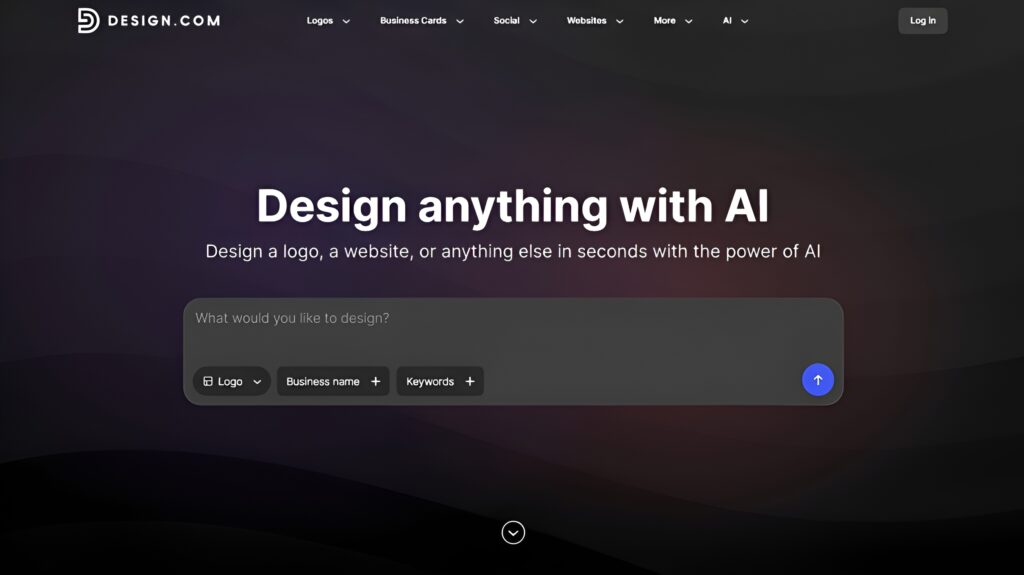
Design.com takes pride in being the world’s #1 logo company. It has a 4.7 rating on Trustpilot and over 4,000 reviews to support its claim. It combines AI with a library of over 500,000 exclusive, professionally designed logos. It’s the best platform for business owners looking for a comprehensive branding solution for logo creation and overall brand building.
AI Logo Generation & Design Quality — 5.0/5
Generating logos with Design.com’s AI Logo Generator was easy. All we had to do was enter the prompt “Make a modern, creative, and professional logo for Snapshot Symphony, a freelance photography business.”
Here’s what we got:
- Over 10,000 logo designs with varying concepts — all of which are vetted for commercial safety.
- There are designs with other photography-related icons (aside from cameras), elegant script wordmarks, and clean icon-and-type combinations.
With these multiple distinct creative directions, there was no need to regenerate new logo concepts.
Here are some of the logo designs that stood out:
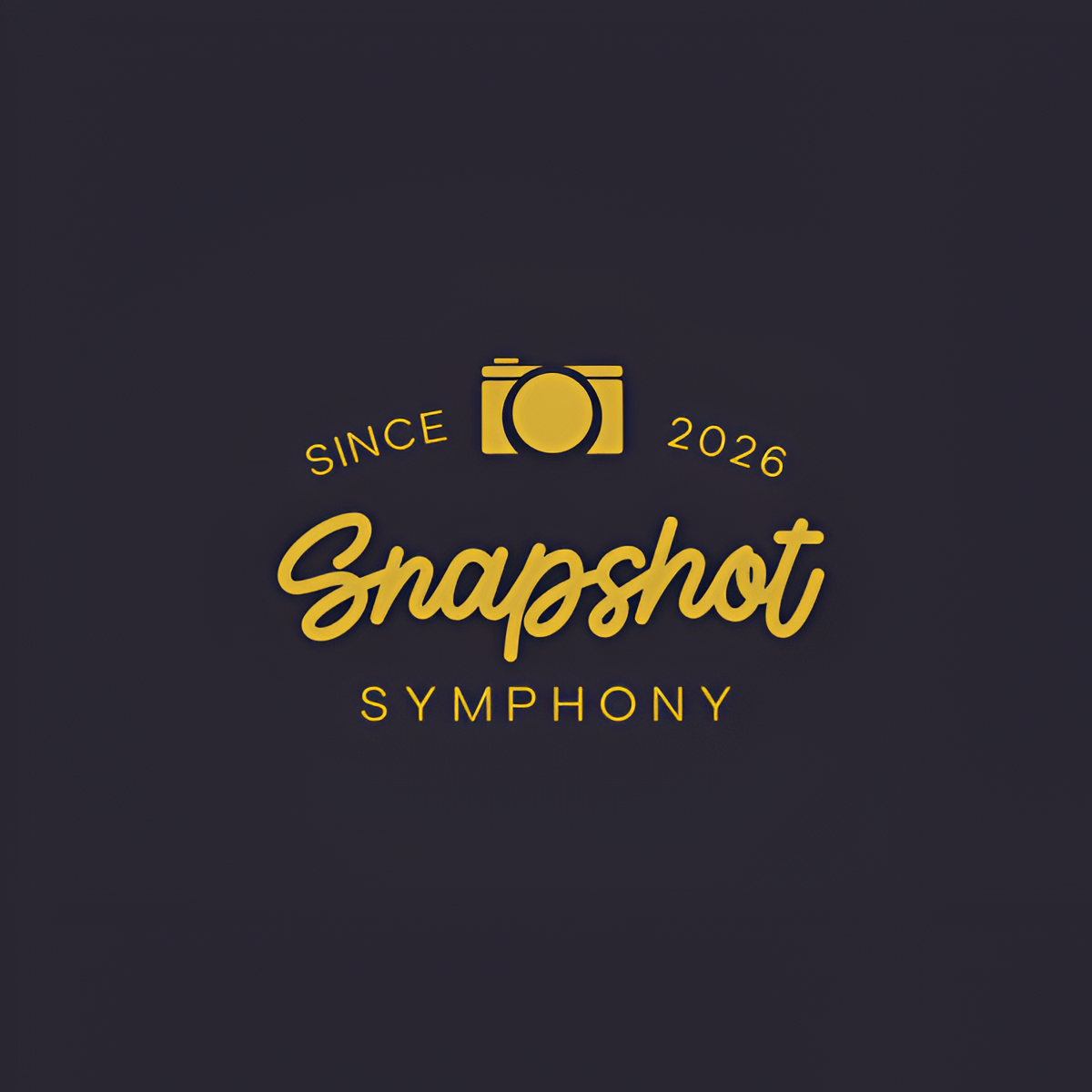
This logo captures a creative yet professional feel with its elegant script typography and minimalist camera icon. In addition, the premium gold-on-dark color palette evokes the feeling of quality, creativity, and professionalism.
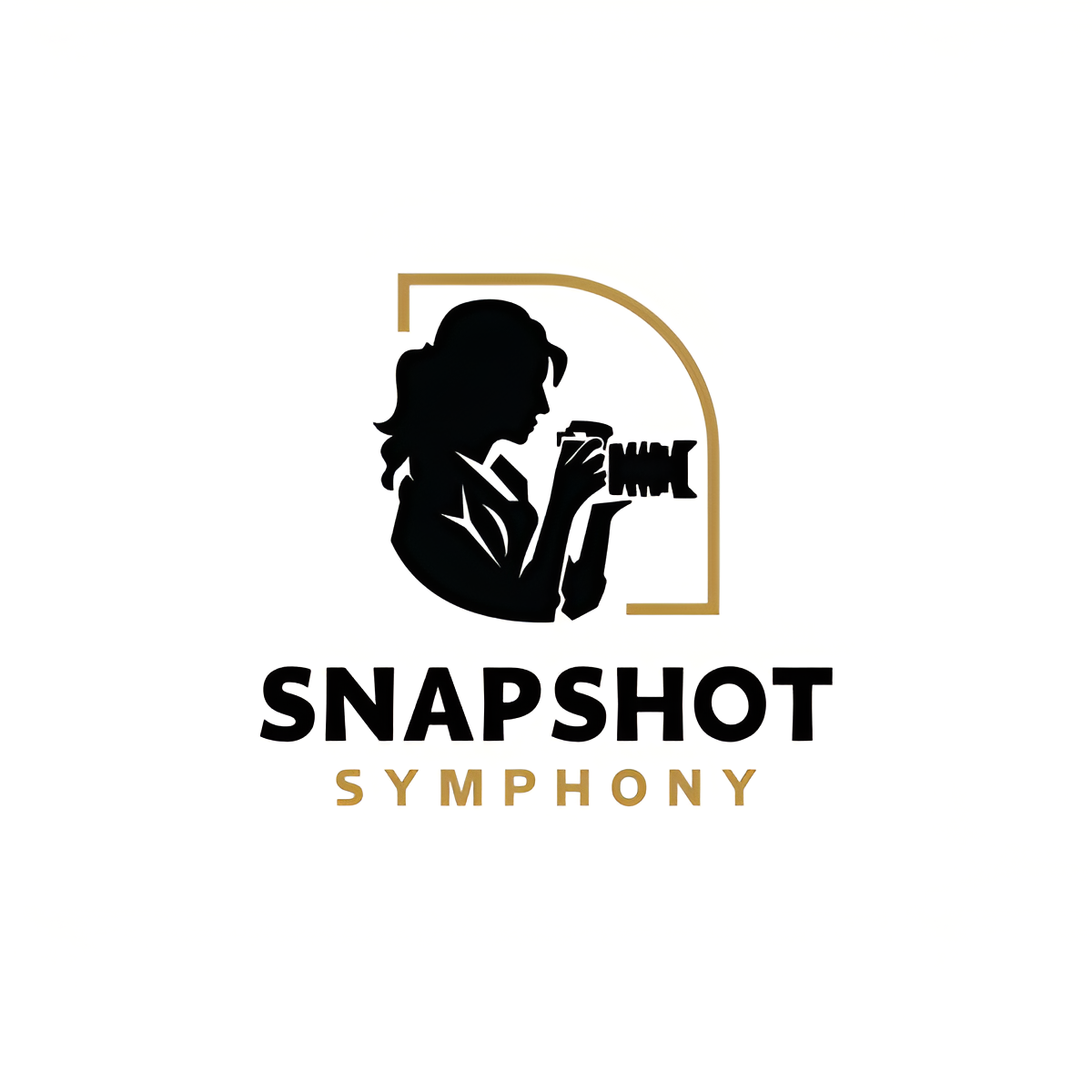
The logo features a detailed silhouette of a photographer, which highlights Snapshot Symphony’s focus on capturing moments. Its combination of bold typography and elegant framing gives the logo a professional look while also maintaining a personal touch.
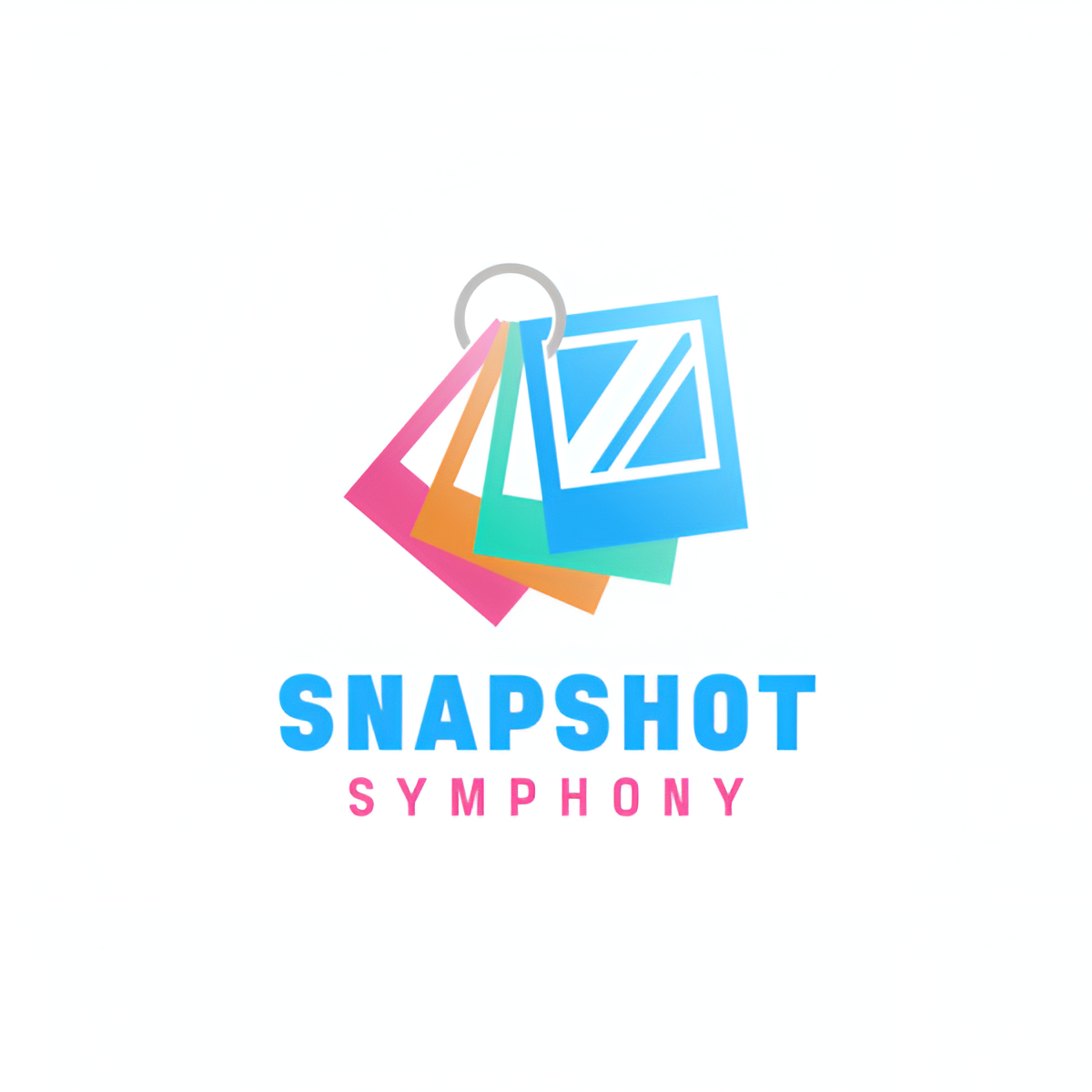
This logo uses a stack of colorful photo prints instead of the typical camera icon, making the brand seem fun and approachable. Meanwhile, the bold typography balances well with the playful icon, giving the logo a professional look.
Customization Features — 4.5/5
Customization was equally strong — the drag-and-drop editor and AI chat editor worked seamlessly together. It’s perfectly designed for non-designers. The editing options are neatly arranged on the side, making it less intimidating and confusing. You can easily know which tool to choose if you want to adjust the text, background, icons, and layouts.
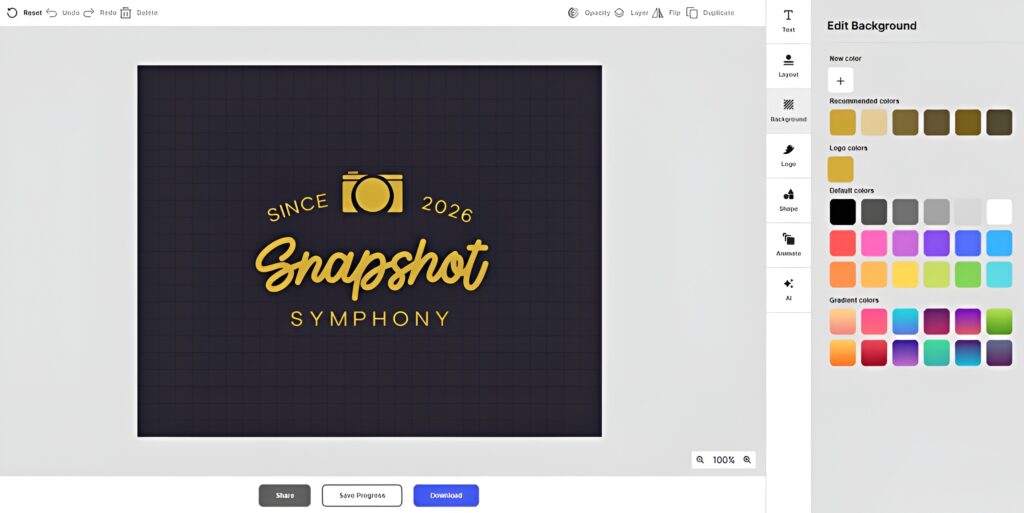
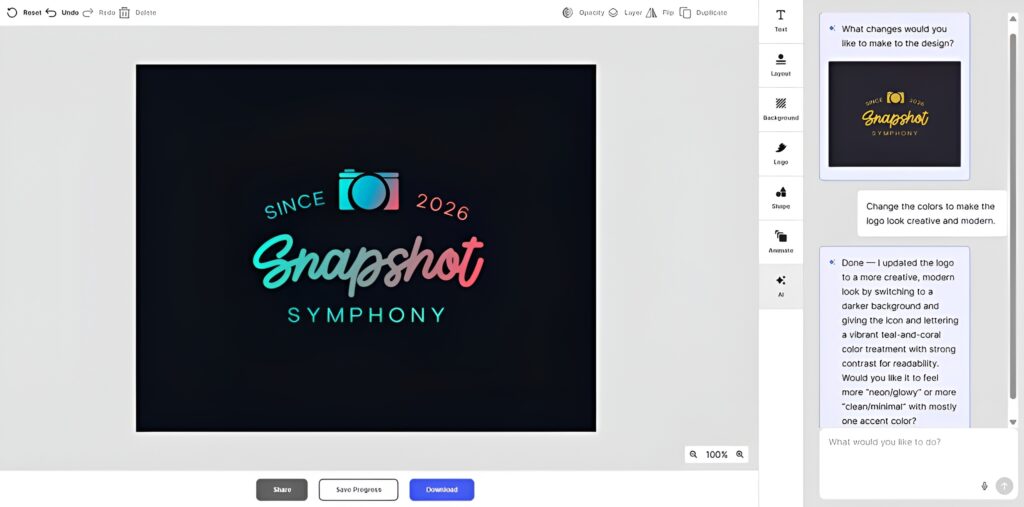
We used the AI editing feature and instructed it to “change the colors to make the logo look creative and modern.” The prompt isn’t exactly precise, but the AI got the idea and updated the logo. What’s even more impressive is that Design.com has custom-trained its AI editor to ensure that the modifications it makes are copyright-safe.
Choosing between the manual drag-and-drop editor or AI isn’t necessary. Using both is actually useful. The AI chat editor has a cap under the free tier, so the drag-and-drop editor can take over after making the AI apply your nuanced ideas that may be hard to execute on your own.
File Export Options — 5.0/5
As for downloading the logo, Design.com probably offers one of the most comprehensive export packages among all logo makers in this list:
- Vector files: SVG, EPS, PDF
- Raster files: PNG, JPG
- Animated files: GIF, MP4
- Additional options: transparent background, grayscale, icon-only and text-only export
Branding Features — 5.0/5
Below the file export options are templates for other branded materials — business cards, email signatures, letterheads, social media posts, presentations, websites, and more. They already carry the logo and its colors. This is due to Design.com’s automatic brand integration feature. No need to manually match colors just to achieve brand consistency, which helps save time.
Design.com is more than just a logo maker. It’s also an all-in-one branding ecosystem featuring advanced AI-powered tools, including an AI website builder, AI business card generator, AI flyer generator, AI poster generator, AI presentation maker, AI business name generator, and AI background remover, and more.
Free and Paid Plans — 4.5/5
The platform’s free tier is one of the most generous on this list. It allows you to:
- Create, customize, and download a complete logo using the free designs
- Use all the editing features
- Download file formats (including the vector files)
- Experience the automatic template branding feature
Meanwhile, the paid plans are cheaper than on other platforms, and they already give you access to premium logo designs and other branding tools. However, you need a higher subscription to access the Website Builder, Link-in-Bio Generator, and Digital Business Card Generator. Here’s a more detailed look into the plans:
- Starter Pack — $3/month (billed annually): Gives full access to the premium logos, AI chat editor, and the platform’s 50+ branding tools.
- Value Pack — $4/month (billed annually): Includes everything in Starter Pack and access to the Website Builder.
- Premier Pack — $5/month (billed annually): Includes everything in Value Pack and access to the Link-in-Bio Generator and Digital Business Card Generator.
Overall Verdict — 4.8/5
Design.com is the strongest all-around AI logo maker available in 2026. It’s hard to find another platform that offers almost everything — advanced AI functions, a massive logo library, a dual-editing system, comprehensive file format options, a full suite of branding tools, a generous free tier, and affordable paid plans.
2. BrandCrowd — The Best Logo Maker for Template Variety
BrandCrowd is a branding platform that puts logo creation above everything else. Rated 4.8 on Trustpilot with over 9,000 reviews, the platform has established itself as one of the most trusted logo makers today. It has over 380,000 high-quality, polished logo templates designed for startups, entrepreneurs, freelancers, and creators.
AI Logo Generation & Design Quality — 4.5/5
We started generating logos for Snapshot Symphony by entering the business name on BrandCrowd’s Logo Maker. Almost 10,000 logos were generated right away in seconds.
Here’s what we experienced:
- The results were a mix of photography and music-related logos (probably because of the word “Symphony” in the brand name).
- We had to add the keywords “photography,” “modern,” “creative,” and “professional” to tailor the logo results.
- The AI immediately removed the irrelevant designs and pushed the relevant ones on top.
The Snapshot Symphony logos from BrandCrowd really show they’re professionally created. They have strong visual hierarchy and specific icon choices, which aren’t common among logos made by pure AI.
Here are some of the logos BrandCrowd gave us:
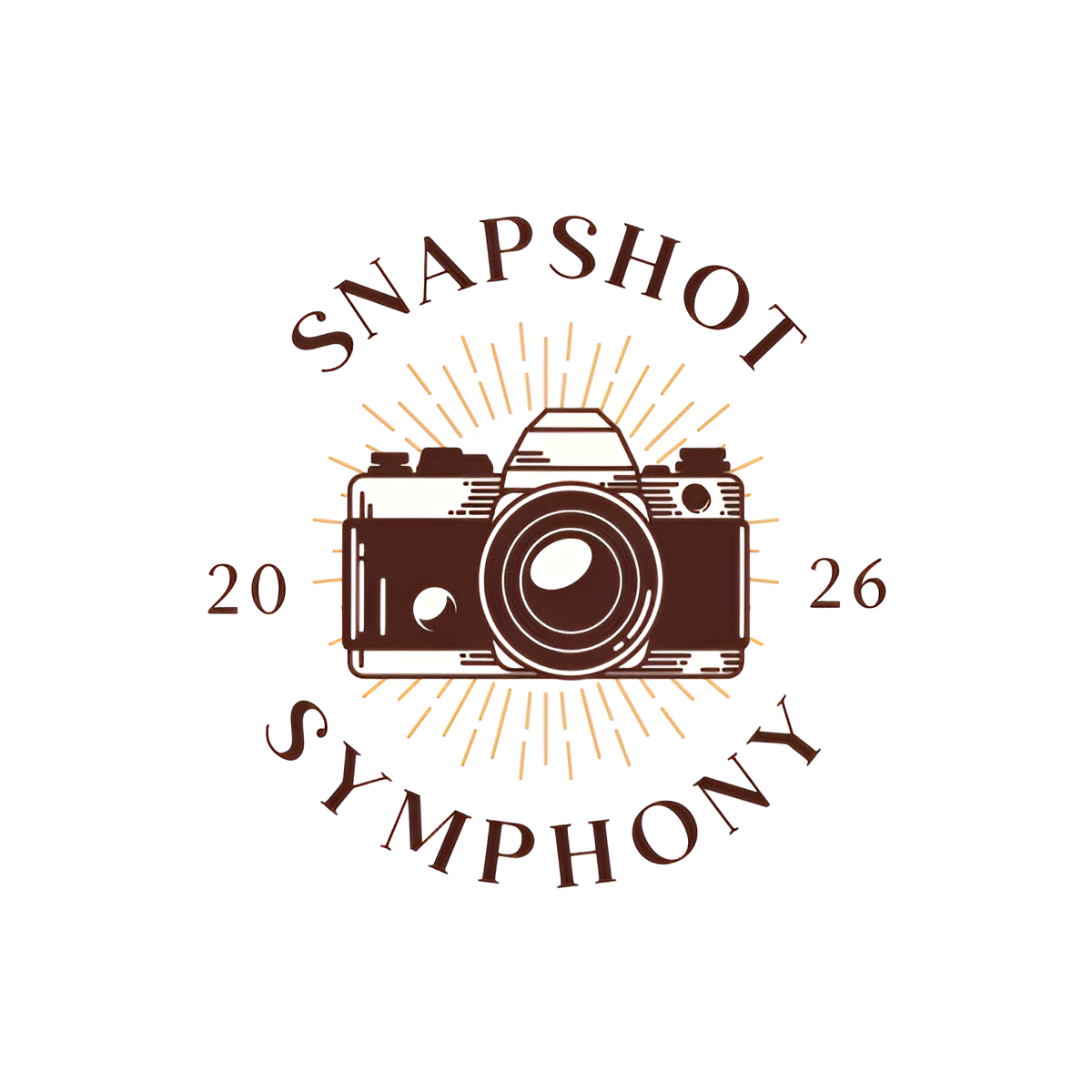
This logo features a vintage camera with classic typography, giving it a timeless and professional look. The badge-like style makes the business feel established and credible. Meanwhile, the sunburst effect adds visual depth, emphasizing the camera icon at the center.
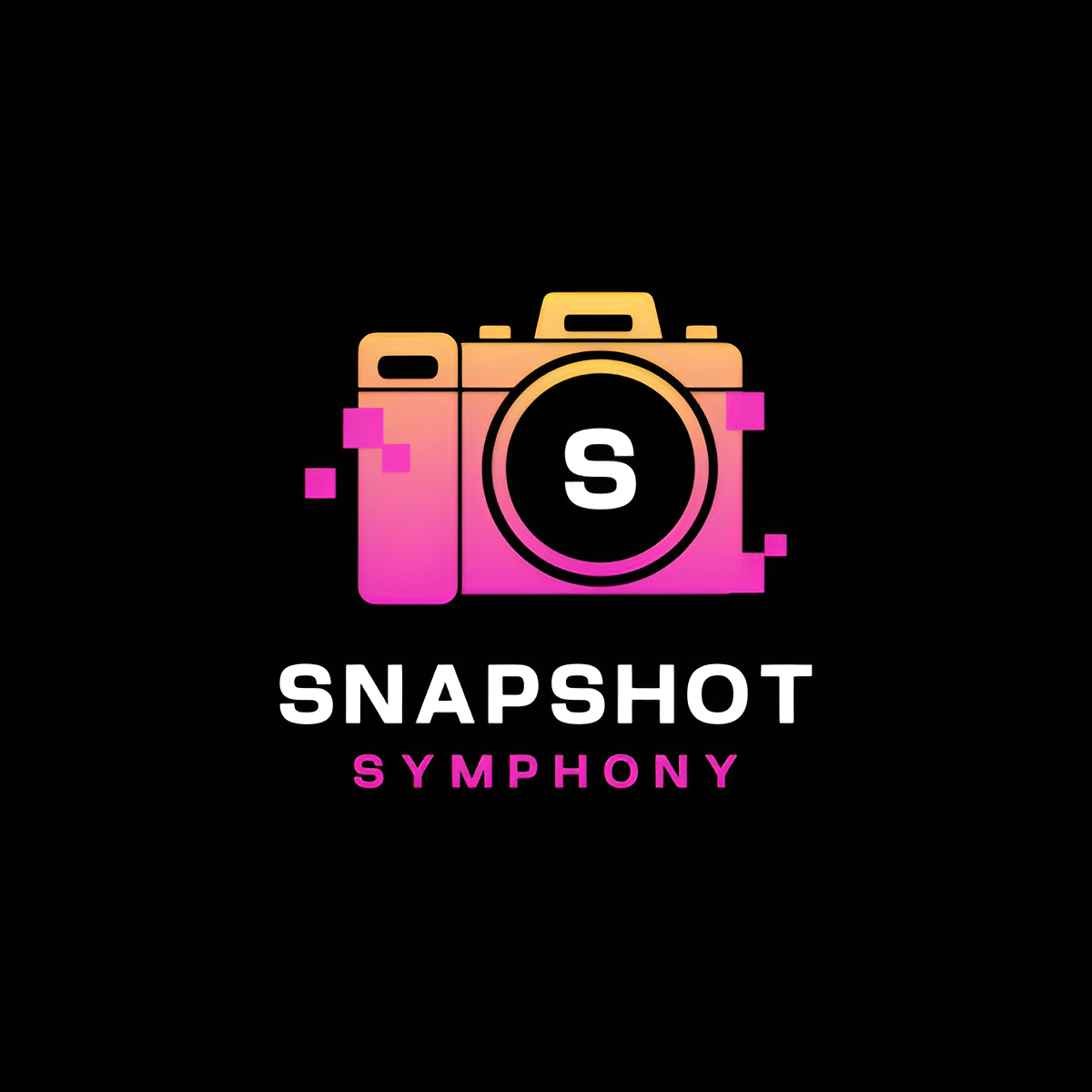
This modern logo uses a camera icon with geometric details and vibrant gradients. The bold design makes the brand look dynamic, playful, creative, and innovative. Meanwhile, the strong typography, which evokes professionalism, makes the logo stand out on online platforms.
Customization Features — 4.5/5
Customizing the Snapshot Symphony logo in BrandCrowd was a smooth experience. The beginner-friendly drag-and-drop editor and AI chat editor let us swap icons, try different typography combinations from the 750+ available fonts (525+ are exclusive to the platform), and adjust the color palette without losing the overall design structure.
The AI editor has a cap, like with Design.com. However, the manual drag-and-drop editor is more than enough to finish all other customization afterward.
File Export Options — 5.0/5
Just like Design.com, BrandCrowd’s file export options are comprehensive across all plans. Along with PNG and JPG files, the platform also lets you download the logo in SVG, EPS, and PDF formats with a transparent background option.
Branding Features — 5.0/5
BrandCrowd is a full branding platform with 50+ design tools that let you create other branded assets beyond logos. You can use them to generate email signatures, letterheads, business cards, digital business cards, link in bios, websites, QR codes, presentations, flyers, posters, and social media posts for Facebook, Instagram, YouTube, TikTok, Twitter/X, and others.
The good news is you won’t have to generate each asset separately. BrandCrowd automatically applies your logo and its colors to other templates. This allows you to save time and achieve consistent branding across all your assets.
Free & Paid Plans — 4.5/5
BrandCrowd’s pricing mirrors Design.com’s almost exactly.
The free version also lets you generate unlimited logos, use all the editing tools, and access all the file formats to download a complete logo as long as you use the free templates.
Meanwhile, the paid plans start at $3/month (billed annually). It unlocks the premium templates and 50+ branding tools. With what’s included, the annual pricing represents exceptional value.
Overall Verdict — 4.7/5
BrandCrowd combines several amazing features that are hard to find from other platforms. It’s the best logo maker for businesses that prioritize logos above all else.
3. Wixel (Wix Logo Maker) — Best Logo Maker for Wix Website Builders
Formerly known as Wix Logo Maker, Wixel is a standalone AI design platform that centers on logo creation. It features an AI assistant called Aria, which will guide you in generating your logo.
AI Logo Generation — 3.5/5
To start, we entered the brand name “Snapshot Symphony,” and Aria asked what type of business it is. We told it that it’s a freelance photography business and added that we want the logo to look modern, creative, and professional. In just one try, we got these results:
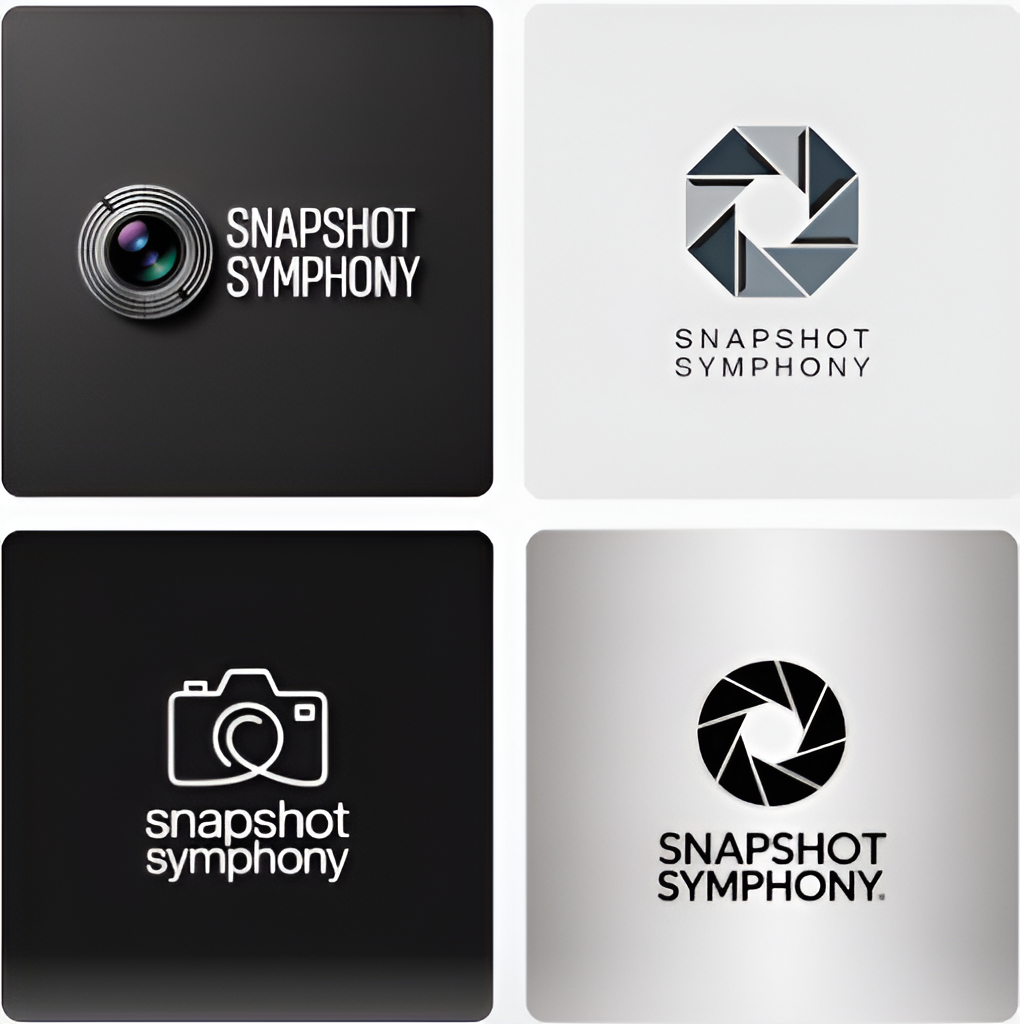
Wixel only generated four logos, but they already match the prompt we provided. They feature recognizable photography-inspired elements, strong typography, and layouts suited for digital use. They’re much stronger than the Adobe Express logos, but the designs are predictable and have less variation. You may find this an issue if you’re looking for a broader range of creative direction.
Customization Features — 3.0/5
After choosing a logo to work with, Wixel directed us to the editor. The platform gave us control over colors, icons, and layouts.
However, the interface may be a bit confusing at first since there’s no sidebar where the editing options are usually found. Instead, the editing controls are on the top. There are also AI suggestions around the logo (i.e., “Change the logo icon” or “Change main text”) that you can click.
The only issue we find in Wixel’s editing interface is that it doesn’t provide any font options.
File Export Options — 4.5/5
Though Wixel’s file options aren’t as extensive as Design.com and BrandCrowd, it already gives you everything you need. Even with just the free tier, you can download your finished logo in JPG, PNG, and SVG — with transparent background options too.
Branding Features — 4.0/5
Creating a brand with the logo was tricky. We had to find the option that would allow us to do it. But after finding it, we just selected “Create a new brand,” and the platform automatically did everything the rest. It added the logo with its font and colors.
Since Wixel is Wix’s AI logo generator, it’s naturally integrated with its website builder. So, you can create a website straight from your current logo by finding the “Sites” menu and clicking “Create New Website.” But aside from websites, you can also use Wixel to create social media graphics, presentations, invitations, and documents.
Free & Paid Plans — 4.0/5
For logo creation, Wixel’s free tier already provides you with everything you need. While you’re only limited to 120 AI credits per month (or 30 AI credits per day), this is already enough for logo generation — if you won’t need to keep regenerating — and quick editing. You can also have high-resolution and vector files of your logo afterward.
Still, if you’d want to upgrade, the Basic plan costs $7.50/month. This gives you 350 AI credits. However, if you’d like a free Wix website plan and domain, you’ll need the Pro or Max plans.
Overall — 3.8/5
If you’re already an existing Wix user or you plan to build your website within Wix, Wixel is a compelling option for logo creation. But even if you just need a logo, Wixel can still give you genuine value with its generous free plan.
4. Canva (Dream Lab) — Best for Teams & Ongoing Design Work
For the past few years, Canva has been the world’s most widely used design platform. Known for its intuitive drag-and-drop editor, it lets you create a variety of designs easily even if you’re just a beginner. However, it also has an AI feature called Dream Lab. It lets you generate designs, like logos, using prompts.
AI Logo Generation & Design Quality — 4.0/5
We directed Canva’s Dream Lab to generate logos using the same prompt as with Design.com (“Make a modern, creative, and professional logo for Snapshot Symphony, a freelance photography business”). The platform gave us four results with vague concepts. One even had a music-related icon because of “Symphony” in the brand name.
We decided to refine the prompt to get new results. In the updated prompt, we specified not to put non-photography elements. Here’s what we got:
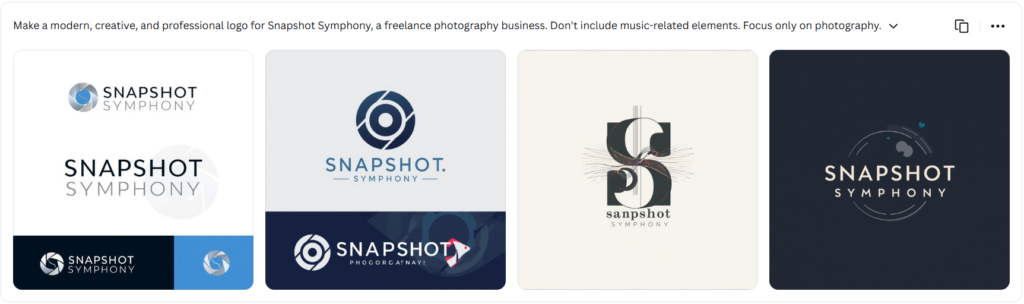
Canva’s generated logos feature minimalist icons and clean layouts, which is perfect for modern branding. However, they clearly prioritized abstract branding. If you want a more distinctive, industry-focused logo design, you may need to refine the logos or generate a new batch. This is a disadvantage if you don’t have a paid plan, as Canva only gives its free users 20 generations per month.
Customization Features — 4.0/5
Once we selected a logo, Canva directs us to its drag-and-drop editor. It lets us adjust the fonts, colors, and layout. The whole process only took a few minutes. The only issue you’ll probably encounter with Canva’s editor is that a lot of its tools — especially the AI ones — and design assets are locked behind the paywall.
File Export Options — 3.0/5
Canva doesn’t have many options for file exports. If you’re using the free version, there’s only PNG, JPG, PDF, MP4, and GIF files available. In addition, you can only download up to 1200 x 1200 pixels. However, SVG files and transparent backgrounds are locked behind the paywall, which is unfortunate as vector files are essential for professional and print use.
Branding Features — 3.0/5
Canva is a general design platform — logo creation is just one of its many features. Many people use the platform to make social media graphics, presentations, posters, landing pages, and portfolios.
Unfortunately, Canva doesn’t have automatic brand integration like Design.com, which automatically applies your logo and colors on all assets. What Canva has is the Brand Kit feature. It lets you save your logo, brand colors, fonts, icons, and more, so you can achieve consistent branding across your assets, albeit manually. Unfortunately, it’s locked behind the Canva Pro plan.
Free & Paid Plans — 3.0/5
Canva’s free version provides 20 AI generations per month, free design templates, limited editing tools, and select file formats. These are all for all types of designs, not just with logos. Unlocking access to all these features requires a Canva Pro subscription, which costs $12.99/month — the steepest entry price on this list.
Even with a Canva Pro subscription, it still doesn’t give you the same logo-specific value that you can get with Design.com and BrandCrowd at a lower price. However, you can get your money’s worth by using the platform to create other designs regularly.
Overall — 3.4/5
Canva’s Dream Lab generates logos that are distinct and clean. However, you have to be precise with your prompt so you don’t waste your 20 free AI generations. Canva is best treated as a design platform that happens to have logo-making capabilities, rather than as a dedicated logo maker.
Users who want to compare real App Store feedback can also check Canva reviews on AppsHunter before deciding whether it fits their logo and design workflow.
5. Vistaprint AI Logomaker — Best Logo Maker for Print-Ready Branding
Launched in March 2026, Vistaprint AI Logomaker is the newest platform on our list. But even then, it’s already one of the most reliable AI logo makers available online.
AI Logo Generation — 3.0/5
To start generating our logo, we first entered the brand name “Snapshot Symphony.” The platform walked us through its step-by-step process. It asked about the business type, preferred logo styles (we chose “sleek and modern,” “lettermark,” “bold and colorful,” and “typographic”). The last step involves describing our ideal logo, so we just used the same prompt we used with other platforms.
The first batch of generated logos features music-inspired elements, which are irrelevant to Snapshot Symphony since it should be a freelance photography business. So, we edited the logo description and added that the platform should only focus on photography-related elements. Here’s what we got:
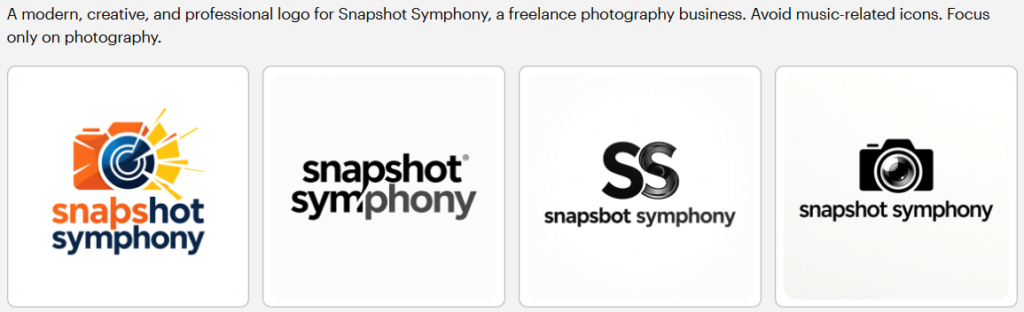
The platform adjusted the results accordingly and incorporated photography-related elements. Even with just four results, it explored different visual approaches and didn’t just limit itself to camera icons. However, some concepts felt generic. One of the logos also has a typographical error (“snapsbot” instead of “snapshot”).
Customization Features — 1.0/5
Unlike the other logo makers on this list, Vistaprint AI Logomaker doesn’t have any manual customization tools. There’s no editor, no font options, or color picker.
It only has an AI editor where you’ll describe the changes you want to make. We tested it with the logo that has a typographical error. We prompted it to “change ‘snapbot’ to ‘snapshot.’” Unfortunately, the AI wasn’t able to apply the edit we asked. The edited logo still has the same typographical error. Hence, your best option is to just go for the logo without any issues.
File Export Options — 4.5/5
Surprisingly, Vistaprint AI Logomaker offers better file formats than Canva and Adobe Express. Once you have selected a design, you can download a compressed folder containing PNG, PDF, and SVG files with their transparent versions. This is before you even subscribe to the platform’s paid plans.
Branding Features — 3.5/5
Once you have chosen a logo for download, it will also be applied to various branded assets that you can order for printing through the platform. These include business cards, postcards, banners, flyers, posters, stickers, pens, mugs, t-shirts, caps, and more.
In addition, the platform automatically saves your logo, colors, and fonts in its Brand Kit feature. It also lets you create a website via Wix.
Free & Paid Plans — 5.0/5
Vistaprint AI Logomaker is completely free. You just have to create an account on the platform to unlock the free 64 logo generations per month. You’ll only need to pay when you order printed merchandise.
Overall — 3.4/5
Vistaprint AI Logomaker is the only logo maker on this list that specializes in printed branded assets. If your business will rely heavily on printed materials and merchandise, Vistaprint AI Logomaker will be a practical choice for you. Even with AI generation issues and the lack of in-depth editing features, you can still be assured that the platform can provide you with ready-to-use logos that don’t need any kind of editing.
6. Adobe Express AI Logo Generator — Best for Creatives With Adobe Experience
Adobe Express is the more accessible version of Adobe’s complex design software. It lets you create logos and other branded assets even if you have no design experience. It features an AI Logo Generator that’s powered by Adobe Firefly, Adobe’s generative AI.
AI Logo Generation & Design Quality — 3.0/5
We generated logos for Snapshot Symphony using the same prompt. Just like with Canva AI, we got four results. However, only two met the parameters set in the prompt, as the other two include music-related icons. We decided to refine the prompt and generate another batch of logos, focusing only on photography-related elements.
The next batch of results was further off than the first set of logos, so we had to try again. After several iterations, we got back on track and ended up with these:
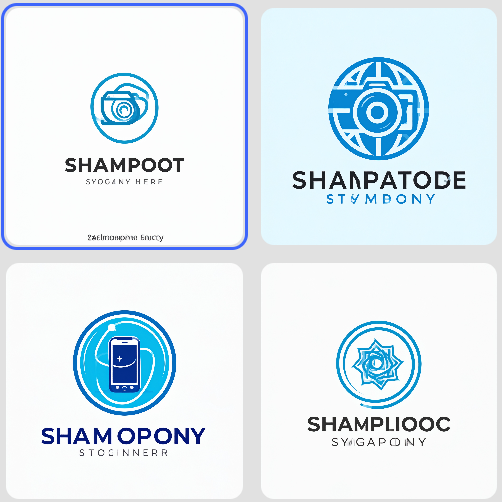
Now, while Adobe Express’ AI Logo Generator produced results with potential, they’ll require additional editing. For one, it struggled to render the business name accurately. The logos feature distorted text of “Snapshot Symphony.”
Customization Features — 2.5/5
The editor in Adobe Express’ AI Logo Generator is more limited than it appears. We realized this after opening one of the logos in the editor. Compared with the other platforms, the logo functions as a flattened image. You can’t select the text or the icon separately. While editing features like the 18,000+ Adobe Fonts and color schemes are still available, this issue constrains their application to AI-generated logos.
File Export Options — 2.5/5
The file formats are also limited to PNG, JPG, and PDF. There’s no SVG or other vector file options available.
Branding Features — 3.5/5
Adobe Express’s AI Logo Generator features a branding tool that lets you save your logos, colors, fonts, and graphics. You’ll have to set them up manually, unlike with Design.com and BrandCrowd. However, what gives Adobe Express an edge over Canva is that you can create your brand kit even when you’re just using the free version. This allows you to create other assets, such as social media graphics, videos, and animated posts, while staying consistent with your brand.
Free & Paid Plans — 2.5/5
Among all the platforms on this list, Adobe Express’ AI Logo Generator has the least generous free tier. While it gives you access to over 100,000 templates, 1 million assets, 4,000 fonts, and a limited brand kit, you only have an unspecified number of daily generative AI credits. This is a problem if the generated results keep missing the mark.
Most of what makes Adobe Express useful is locked behind the Premium plan, which costs $9.99/month. This will give up to 250 generative AI credits per month along with over 200 million assets, 30,000 fonts, and complete brand kit functionality.
Overall — 2.8/5
Adobe Express’ AI Logo Generator provides polished logos using Adobe Firefly. However, the flattened image is a significant constraint. This platform will suit users who are comfortable working around these limitations. For everyone else who still wants to use the Adobe ecosystem, Adobe Express’ Logo Maker may be a better option.
Conclusion
AI logo makers have come a long way. Still, the best logo maker for you will depend on what you need. That said, you can’t go wrong with our Top Picks — Design.com and BrandCrowd.
Design.com is the perfect logo maker to start with if you’re looking for the most advanced AI features. On the other hand, BrandCrowd will suit you best if you’re looking for a wide variety of logo templates. Either way, they’re both quick, easy, and affordable. You can ensure that you’ll get professional-quality outputs without the agency price tag.
Whatever stage your brand is at, the right logo maker is out there. In 2026, you’ve never had more great options to choose from.
Read more on branding here:
Dianne Claveria writes SEO-driven content focused on digital marketing and technology. She’s passionate about exploring new tools and trends and sharing insights that help readers stay ahead. Outside of writing, she enjoys traveling and photography.